Local Trellis tower
A radio on a tower near you sends the signal through the air.
How it works
No cable to your door. Here’s how we do it.
The technology
Fixed wireless. A small antenna on your roof talks to a tower on a hilltop. No trenching, no buried cable.
A radio on a tower near you sends the signal through the air.
About the size of a small pizza box. We mount it during install.
We provide the router. Wi-Fi reaches every device just like cable or fiber.
Equipment
Two pieces of equipment. We supply both — no rental fees.
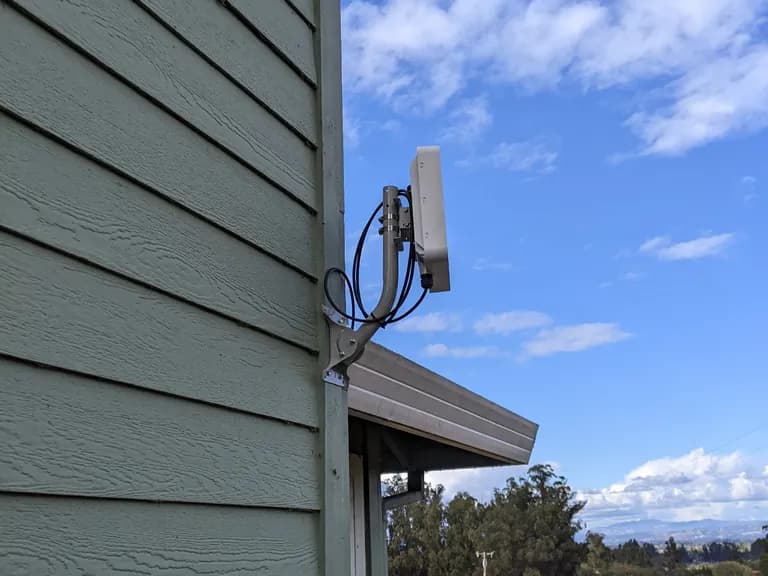
Outdoor
A small flat-panel radio mounted on your roof or exterior wall. About the size of a small pizza box. Gigabit speeds sometimes use a 12-18 inch dish instead.
Indoor
Connects via one ethernet cable. Included with service. Use your own router if you prefer.
Optional
Extends coverage in larger or multi-story homes. Add anytime.
Installation
Most installs take 1-3 hours. About a week from signup to install day, depending on schedule.
Enter your address. We check line of sight to the nearest Trellis tower and confirm which plans your address can pull.
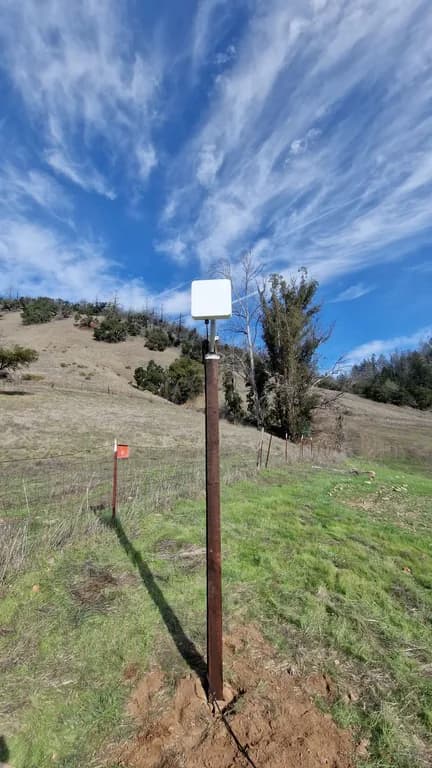
A separate visit before install day. A tech surveys your roof, finds the cleanest mount point, and presents a plan.
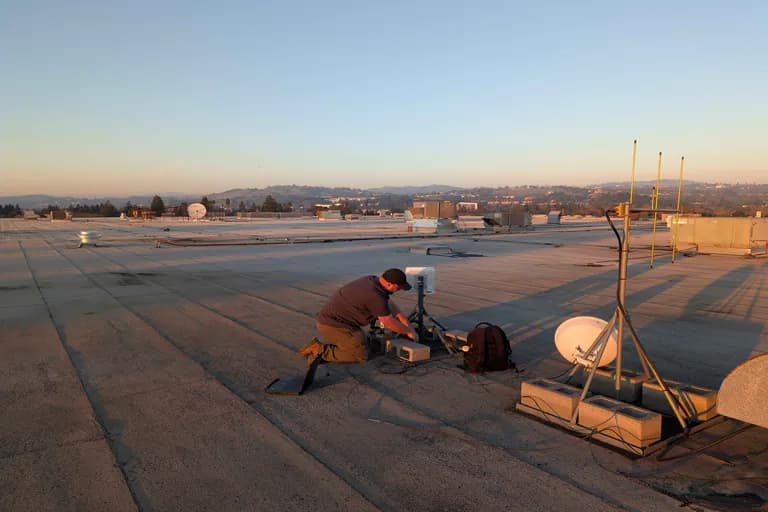
1-3 hours. Your installer’s name is on the work order. Mount the panel, run cable inside, set up your router.
Speed test, walkthrough, device connections. Online before the tech leaves.
Worth knowing
Cable: “Cable is faster.”
Sometimes. Comcast’s promo speed lasts a year; after that the bill creeps. Our top tier is 1 Gbps — same as fiber where fiber doesn’t reach you.
Satellite: “Satellite works everywhere.”
Yes, but Starlink needs your home power. Trellis towers run on solar; the dish on your roof works as long as your house has electricity.
Fixed wireless: “Fixed wireless is unreliable.”
Not when it’s built around fire country. Our towers carry 24+ hours of battery and a backup generator. Cable runs over the same overhead lines as your power.
Comparison
Honest side-by-side look at Trellis versus the alternatives in our service area.
| Feature | Trellis Fixed Wireless | Cable Xfinity | Satellite Starlink | DSL AT&T | Cellular T-Mobile |
|---|---|---|---|---|---|
| Typical speeds | 300-500 Mbps | 200-400 Mbps | 50-200 Mbps | 5-25 Mbps | 33-100 Mbps |
| Max available speed | Up to 1 Gbps | Up to 1.2 Gbps | Up to 220 Mbps | Up to 100 Mbps | Up to 245 Mbps |
| Latency | Low (5-15 ms) | Low (10-20 ms) | Moderate (25-60 ms) | Moderate (20-45 ms) | Variable (25-80 ms) |
| Data caps | None | 1.2 TB | Deprioritization | Varies | Deprioritization |
| Contract required | No | 12 months for promo | No | Varies | No |
| Equipment fee | Included | $15/mo rental | $349 upfront | Varies | $0-35 one-time |
| Rural availability | Excellent | Limited | Available everywhere | Limited, declining | Variable |
| Local support | Sonoma County | National call center | Online only | National call center | National call center |
| Weather sensitivity | Minimal | None | Rain, snow, clouds | None | Variable |
| Fire-resilient infrastructure | Yes | No | No | No | Limited |
Competitor data based on publicly available information as of 2026. Speeds and pricing for other providers may vary by location and plan. Trellis speeds shown are typical real-world performance, not theoretical maximums.
Enter your address to see which plans are available at your location. Takes about ten seconds.